


Bluey: Let's Play!
4.35.47K Reviews
App Specs
- Version
- 2026.12.0
- Updated On
- License
- Free
- Downloads
- 50,000,000+
- Developer
- Budge Studios
- Categories
- Casual
- Platform
- Android, iOS
Screenshots
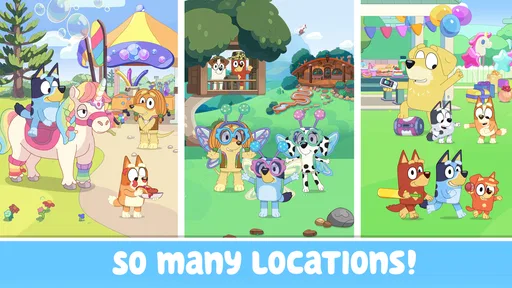

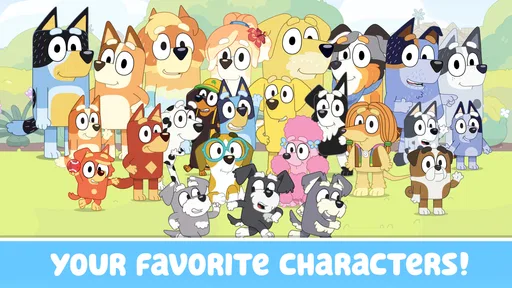
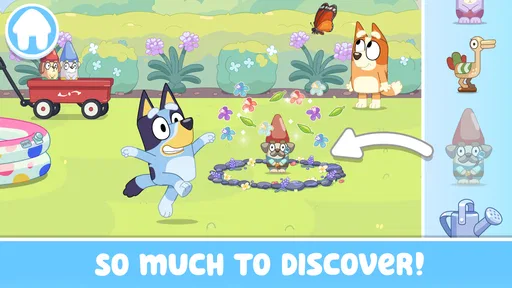
 Analysis by AppCompare
When a child gets stuck in a game, it can be hard to tell whether the problem is the controls, the device, or simply a moment of lost interest. I find that distinction useful with Bluey: Let's Play!, a casual game built around familiar characters and imaginative play. Its appeal is easy to understand: children can spend time with Bluey’s world without needing to learn complicated rules first. The more practical question is whether that style of play suits your household, and what to try when getting started does not go smoothly.
Where young players may get stuck
The game is aimed at children, but that does not mean every child will immediately understand what to tap or where to go. A young player may expect an activity to respond in one particular way, then need an adult to help explore the screen and work out what the game is inviting them to do. I would treat the first session as shared play rather than assume a child can navigate everything independently.
That small adjustment can prevent frustration. Sit nearby, let the child choose what to try, and ask them to show you what they think will happen before stepping in. It keeps the child in charge while giving you a chance to help if they are unsure. If they lose interest, there is no need to turn the game into a task; a short visit can still be worthwhile.
Some friction can also come from expectations. A child looking for a competitive challenge, a long level with a clear finish, or a game that rewards fast reactions may not find this the right fit. The emphasis here is on casual, imaginative play, so it works best when there is room to explore rather than a goal to race toward.
Simple checks before handing over the device
Before a child starts, I would open the game myself and make sure it launches and responds on the device being used. Bluey: Let's Play! is free, but it offers in-app purchases priced from $2.99 to $6.99 per item, so it is sensible for an adult to review the purchase settings on the device before handing it over. That is a general household safeguard, not a reason to assume a child needs to buy anything to enjoy a play session.
The game is rated Everyone and is developed by Budge Studios. Its current version is 2026.1.0, and the listed minimum operating system is Android 5.1. If it is being installed on an older device, checking that the device meets the system requirement is a useful first step. On iOS, I would likewise check compatibility in the relevant store before downloading rather than assume every device can run it.
For a calmer first session, choose a time when an adult can be present and the device has enough battery for the intended play. This is especially helpful if a child is not used to touchscreen games: they can explore at their own pace, and you can see whether the controls make sense to them. It also gives you a chance to check the sound level and decide whether the game suits the setting.
Worth Reading Before You Choose

Flipboard Shows What News Apps Must Do Beyond the Feed

Switching to Android Auto Means Rethinking Your Driving Routine

Google Calendar Makes a Crowded Week Easier to Manage

Ludo King Makes the Most of the Minutes Between Plans

Baby Panda World Brings Quick Play to Modern Phones, but Its Game Library Feels Busy

ESPN’s Live Game View Makes Following Close Games Easier
Getting back on track without guessing
If the game does not open or stops responding, I would start with ordinary, low-risk checks rather than repeatedly tapping the screen. Close and reopen it, make sure the device has not run out of battery, and check that the operating system meets the game’s minimum requirement. If the problem continues, restarting the device and checking for an available game update are reasonable next steps.
When a child cannot find an activity again, first give them a moment to look around instead of immediately taking control. A familiar character or visual cue may help them recognize where they were. If they still seem lost, return to the main screen if that option is clear, then let them choose a new activity. This is a useful way to help without turning exploration into a parent-led walkthrough.
I would also avoid deleting the game as an early troubleshooting step, especially if a child has been using it regularly. Uninstalling can remove local app information, depending on how the game and device handle it. Try restarting and checking for updates first; if you do need to reinstall, be prepared for the possibility that the child may have to start over.
When the device or situation is the real issue
A game can seem broken when the real obstacle is the setting. A noisy room makes dialogue and sound effects harder to follow, while a child who is tired or impatient may not want to explore at all. If the screen is difficult to see or the child is tapping quickly because they are eager to move on, pausing and trying later may work better than troubleshooting a game that is functioning normally.
Performance can also depend on the device. If other apps are struggling too, the issue may not be specific to this game. Closing unused apps or restarting the device is a sensible general check; if only this game has trouble, updating it and confirming device compatibility are more relevant. I would not promise that these steps solve every problem, but they help narrow down what is happening without making disruptive changes.
First impressions of Bluey’s play space
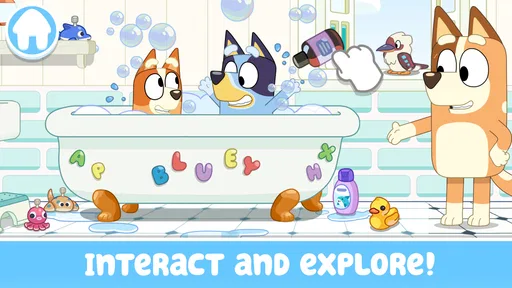
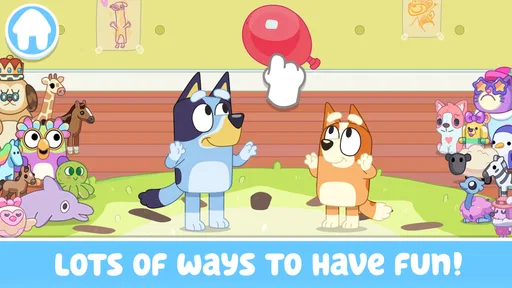
Launching the app, you’re greeted with vibrant colors and familiar characters from the Bluey universe. The interface is super user-friendly, making it easy for kids and parents alike to navigate through the options. It’s designed to be intuitive, so there’s no steep learning curve here. It’s all about diving straight into the fun!
What the play experience is best suited to
I find this kind of play works best when a child can choose what to explore without needing a score, a timer, or a fixed finish line. It can also make a short wait feel easier when an adult is nearby to help with the first few taps. That fit matters more than simply recognizing the characters, so I’d weigh the child’s preferred pace before deciding whether to keep it on the device.
Activities that invite children to make their own choices
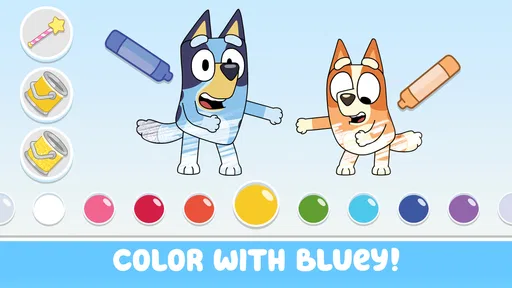
The game offers a delightful mix of activities that encourage creativity and imagination. From interactive stories to mini-games, there’s something here for everyone. The app lets kids engage in various activities with Bluey and her friends, fostering creativity and problem-solving skills.
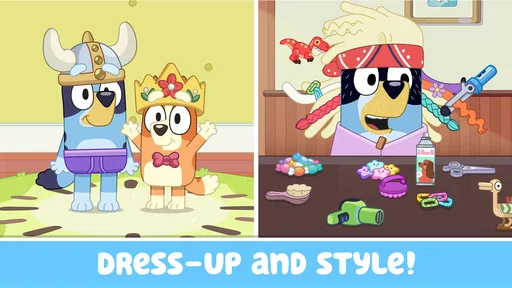
One thing I love is how it incorporates elements of learning seamlessly into play. For example, while kids are having a blast with the dress-up game, they’re also working on their decision-making and fine motor skills. Who knew learning could be this much fun?
For an everyday use case, I can picture bringing it out while waiting for an appointment or during a quiet stretch at home when a child wants something familiar to explore. It is better suited to a brief, flexible play break than to keeping a child occupied for a long, uninterrupted period. An adult can let the child choose an activity, then invite them to describe what they are doing; that turns screen time into a small shared conversation without requiring a lesson plan.
A helpful approach is to let the child lead one choice at a time. Instead of scrolling through every possibility, ask whether they want to keep exploring or try something else. This reduces decision overload and makes it easier to notice when they are ready to stop. For children who enjoy pretend play, the game can also serve as a starting point for continuing the story away from the screen with toys or drawings.
Visuals and audio for a familiar world
The graphics are spot-on, capturing the essence of the TV series beautifully. The animations are smooth, and the colors pop, making it visually appealing. The music and sound effects are lively and engaging without being overwhelming, which is perfect for young users.
Each character’s voice is authentic, adding an extra layer of immersion for those familiar with the show. It’s like stepping into an episode and becoming part of the adventure!
That familiarity is a real advantage for children who already enjoy Bluey: they may recognize the characters and feel comfortable exploring. It can also make the game less compelling for a child who does not know the show or connect with its style. If your child prefers open-ended building, collecting, or competitive rounds, a different casual game may hold their attention longer.
How it compares with other casual games
Compared with many casual games that revolve around quick scores, repeated challenges, or beating a timer, this one is more appealing when the goal is relaxed character-led play. I would choose it for a child who likes pretend scenarios and wants to spend time in Bluey’s setting, not for someone asking for increasingly difficult stages or a strong sense of progression. That distinction matters: a gentle pace is a strength for some families and a reason to choose another game for others.
It also differs from a general drawing or building app. Those alternatives may give children more freedom to create from a blank slate, while Bluey’s familiar characters provide a ready-made setting to play within. If a child tends to enjoy inventing everything themselves, an open-ended creative app may suit them better; if familiar characters help them get started, this game has the advantage.
As a casual game from Budge Studios, it has a recognizable entertainment focus rather than presenting itself as a structured learning tool. I would not choose it as a substitute for a reading, drawing, or educational app when that is the specific goal. Its value is in light play and imaginative engagement, with any learning benefits occurring as part of that experience rather than through formal instruction.
A smooth session, with a few sensible boundaries
One of the standout features of Bluey: Let's Play! is its smooth performance. I didn’t experience any lag or crashes, which is a huge plus. The app runs seamlessly, keeping kids engaged without interruptions.
The parental controls are a thoughtful touch, allowing parents to manage screen time and ensure a safe environment for their kiddos. Plus, there’s no bombardment of ads, which is a relief for parents who want a peaceful experience for their children.
For day-to-day use, I would still set expectations before the game starts: agree on whether this is a quick break or a longer shared activity, and make sure a child knows when it is time to stop. That simple routine is more dependable than hoping a game alone will manage screen time. Because the game includes paid items, adults should also keep purchase safeguards in place and talk with children about asking before spending.
The game has an average rating of 4.3 from around 182,000 ratings, and it has been installed over 50 million times. Those figures show that it has found a broad audience, but they do not guarantee that every child will enjoy its pace or that it will run equally well on every device. I would use them as context, then make the decision based on the child’s interests and the device available.
Who I would recommend it to
I would recommend it to families with a young Bluey fan who likes calm, character-based activities and can enjoy choosing what to explore without needing a score or competitive goal. It is also a reasonable option for an adult and child to play together when a shared conversation is more important than mastering controls. The Everyone age rating makes it broadly accessible, but a parent should still decide whether the content and screen-time routine suit their own child.
I would skip it for a child who quickly tires of familiar characters, wants a difficult game, or expects every session to have a clear win condition. I would also look elsewhere if the main need is a focused educational curriculum or a tool for creating original artwork. Being free to download makes it easy to try, but the in-app purchases mean it is worth setting household expectations before the first handoff.
Final thoughts: a friendly choice when the fit is right
In a world swamped with apps and games, Bluey: Let's Play! stands out as a refreshing and wholesome option. It’s not just a game; it’s an experience that combines fun and learning in a way that’s accessible to young minds.
If you’re looking for an app that’s both entertaining and enriching, this is definitely worth a download. Whether your child is a Bluey fan or just loves engaging games, they’re bound to have a blast. So, what are you waiting for? Dive into the world of Bluey and let the adventures begin!
Pros
- Engaging interactive games for kids.
- Beautifully designed graphics and animations.
- User-friendly interface for young children.
- Encourages creativity and imagination.
- No in-app purchases; safe for children.
Cons
- Limited content; can be repetitive.
- Requires internet for some features.
- May not challenge older children.
- Occasional minor bugs.
- Large download size for mobile storage.
FAQs for Bluey: Let's Play!
What is Bluey: Let's Play! and what can I expect from it?
Bluey: Let's Play! is an interactive mobile game designed for young children, inspired by the popular animated TV series Bluey. Players can engage with various mini-games and activities that promote creativity and problem-solving. Expect vibrant graphics, delightful soundtracks, and familiar characters that make the game both educational and entertaining for kids.
Is Bluey: Let's Play! suitable for all ages?
Bluey: Let's Play! is primarily designed for preschoolers and young children. The activities are age-appropriate and focus on fostering creativity, learning, and fun. While older kids might enjoy some aspects, the game is tailored for younger audiences, with simple controls and engaging, child-friendly content.
Are there any in-game purchases or ads in Bluey: Let's Play!?
Bluey: Let's Play! offers a freemium model, meaning the game is free to download but may contain in-app purchases for additional content or features. It’s important for parents to monitor purchases and be aware of potential ads. Options to disable in-app purchases can often be found in your device's settings.
How can I ensure my child’s safety while playing Bluey: Let's Play!?
To ensure your child's safety while playing, make sure the game is downloaded from a reputable app store, such as Google Play or the Apple App Store. Enable parental controls on your device to restrict in-app purchases and limit screen time. Always supervise your child’s playtime to ensure a safe and enjoyable experience.
What are the system requirements for installing Bluey: Let's Play!?
Bluey: Let's Play! requires a device running Android 7.0 or iOS 11.0 and later versions. Ensure your device has enough free storage and that it's updated with the latest software version for optimal performance. Checking these requirements beforehand helps prevent installation issues and ensures smooth gameplay.


